
Lesson Companion: Printable Lesson Summaries
Audience: Teachers (Buzz)
Our courses are designed to deliver engaging, interactive, online experiences. However, we also recognize that students may need access to learning materials offline.
The Lesson Companion tool provides a printable, text-based summary of each lesson. These summaries can be exported as PDF files for easy printing or offline access. Whether supporting student accommodations or ensuring continuity of learning when internet access is limited, the Lesson Companion offers flexibility for both teachers and students.
How to Access the Lesson Companion
- From the Teacher App homepage, open the main menu.
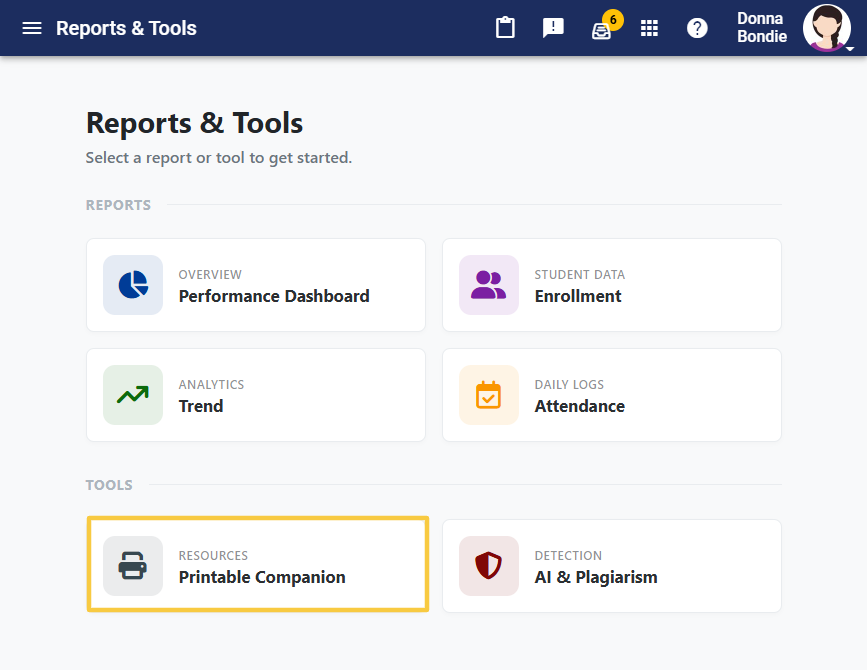
- Select Reports and Tools.
- From the Tools menu, choose Printable Companion.
- A list of all active courses you are assigned to teach will appear.
- Select a course to view its lessons.
- Click a lesson title to open the PDF file.
- Save or print the file as needed.
✅ Tip: Use the Lesson Companion to provide printed support materials for students who need offline access or additional scaffolding.