
Teacher Dashboard
Target Audience: Teachers (Buzz)

Overview
The Teacher Dashboard allows teachers to monitor their own efficiency as well as student performance across all assigned courses.
To access the dashboard, select the Dashboard tab from the Teacher App home page.
Performance Summary
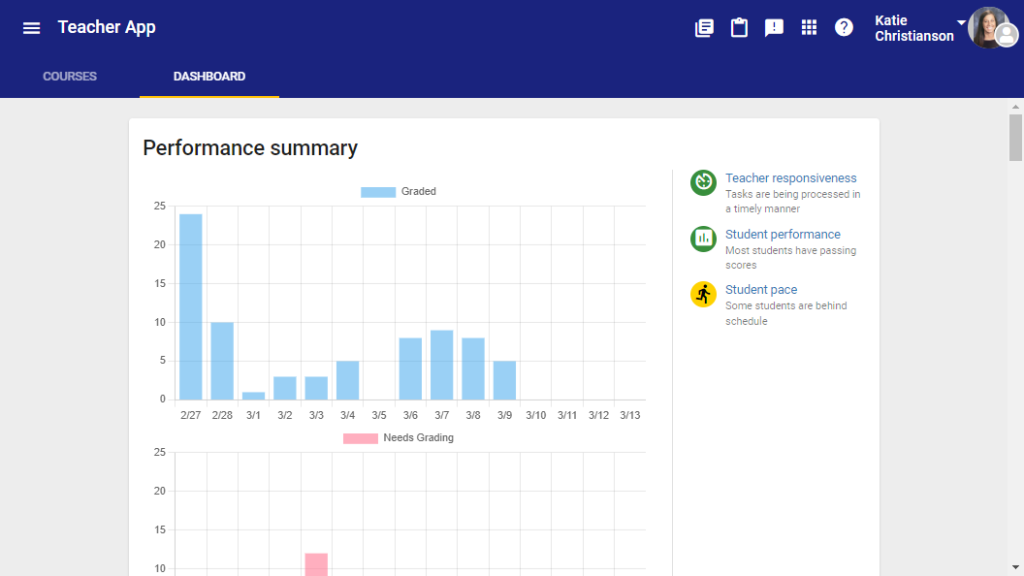
At the top of the Dashboard, the Performance Summary section provides insight into grading activity:
- Graded Chart: Displays the number of assignments graded each day over the previous two weeks.
- Needs Grading Chart: Shows how many assignments remained in Needs Grading status each day over the previous two weeks.
Status Indicators
Color-coded icons on the right side of the Dashboard provide a quick visual summary of:
- Teacher Responsiveness
- Student Performance
- Student Pace
Selecting Teacher Responsiveness will take you to the Needs Grading page, where you can view and grade submitted assignments.
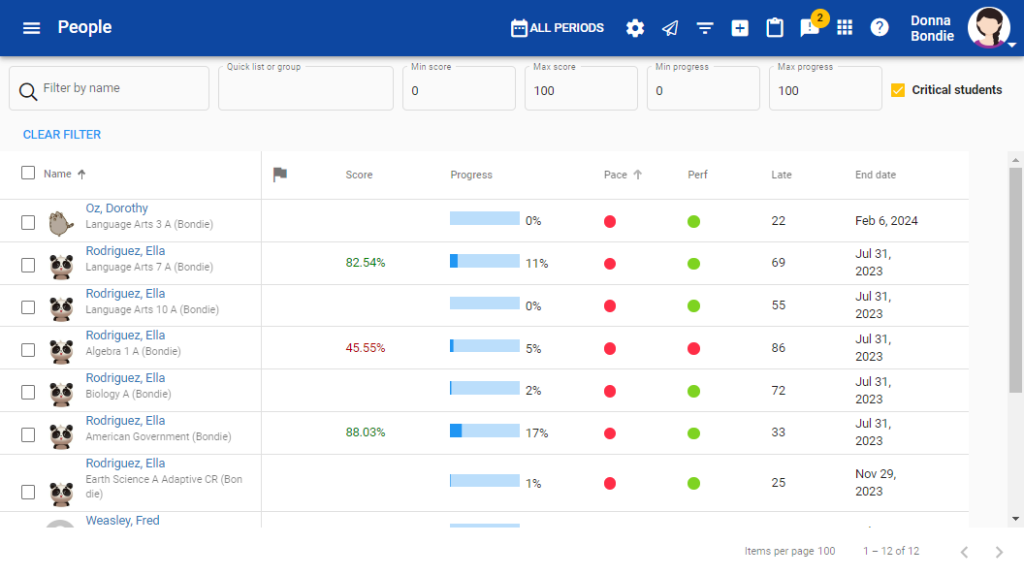
Selecting Student Performance or Student Pace will take you to the People page, where you can identify students who may need additional support.
Additional Dashboard Data
Scroll down on the Dashboard to view additional data and summary metrics.
The four summary links provide quick access to related views in the People tool:
- Courses or Active Students: Opens an unfiltered view of the People tool.
- Courses with Critical Students or Critical Students: Opens the People tool filtered to show students with significant performance or pacing issues.
- The numbers displayed in the blue and yellow circles indicate the total number of courses or students in each category.
Courses List
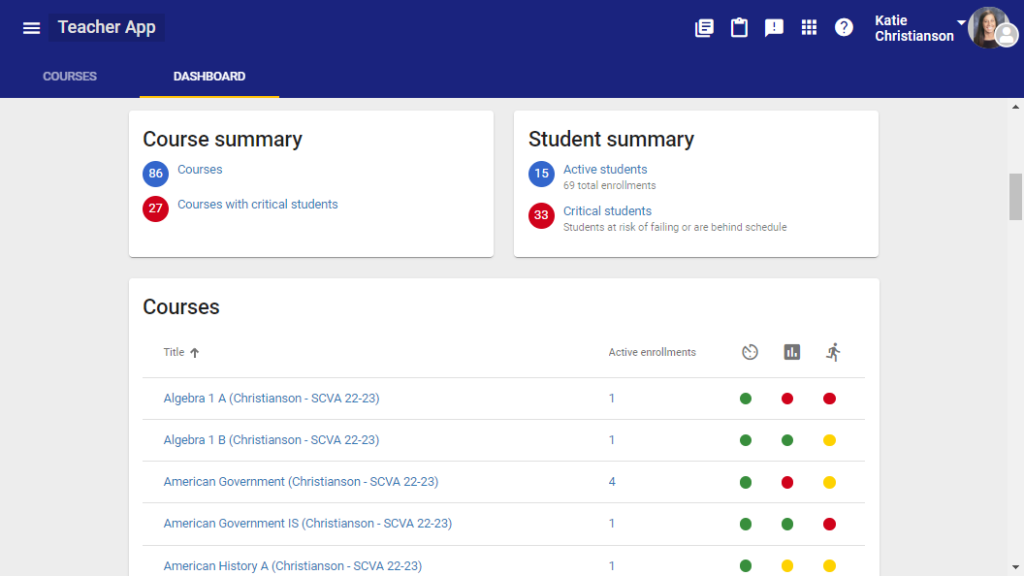
At the bottom of the Dashboard, you will find a complete list of courses in which you are enrolled.
- Selecting a course title will take you to the course Activities list.
- Selecting the number in the Active Enrollments column will open the People tool for that course.
- The Teacher Responsiveness, Student Performance, and Student Pace columns use red, yellow, and green indicators based on your school’s passing score.
Additional Resources
For more information about performance indicators, refer to the Teacher Guide.