
Using the Plagiarism and AI Detection Tool
Audience: Teachers (Buzz)
Upholding academic honesty is more important than ever. The Plagiarism and AI Detection Tool allows teachers to scan student-submitted work to detect plagiarism and identify AI-generated content.
Accessing the Tool
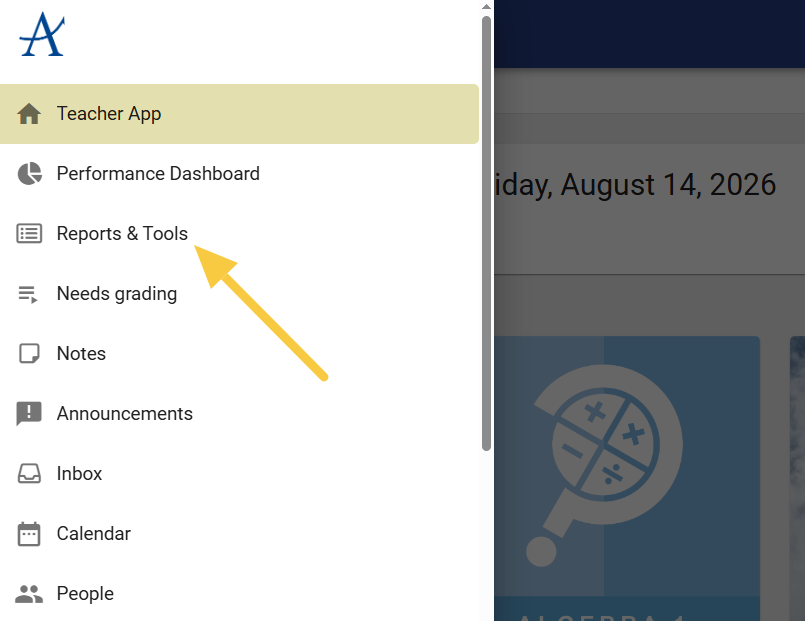
- From the Teacher App homepage, open the main menu.
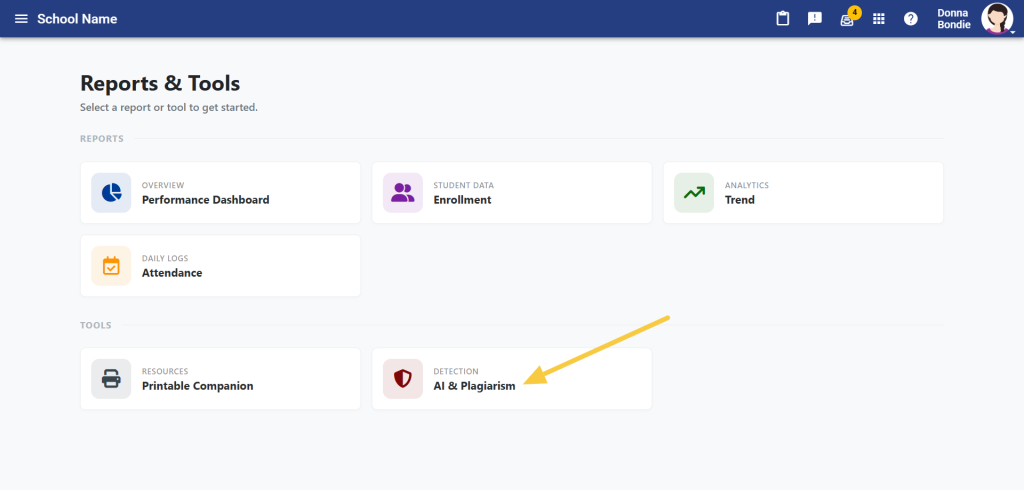
- Select Reports and Tools, then AI and Plagiarism.
Submitting Work for Review
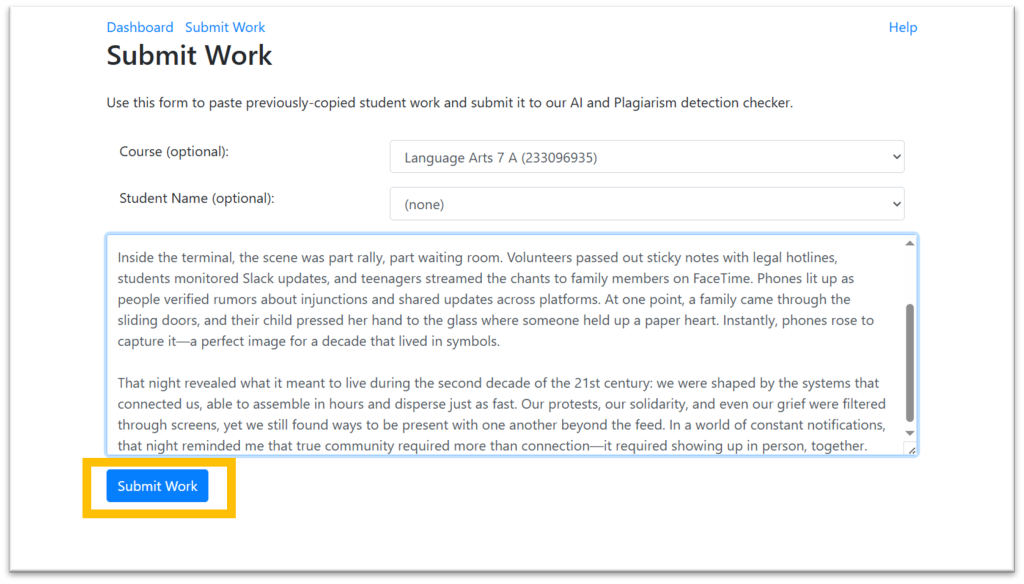
- Click Submit Work.
- Paste the student’s work into the submission window.
- Optional: Add the class name and/or student name.
- Click Submit Work when you’re ready.
Viewing Results
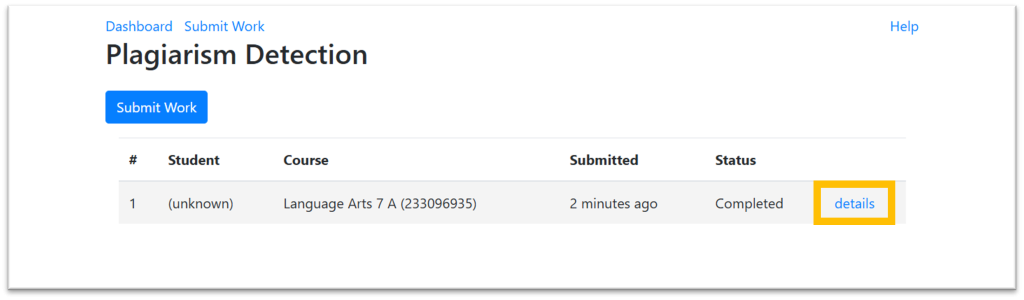
- Once processed, click Details to review the results.
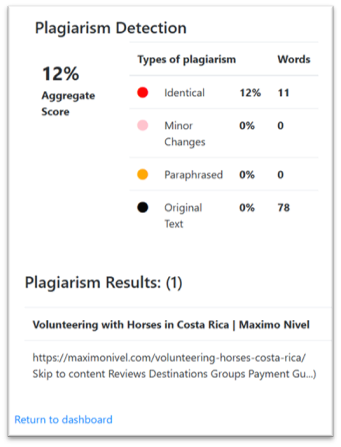
Plagiarism Detection (Left Side)
- Shows the estimated percentage of text that is:
- Identical to another source
- Slightly modified
- Paraphrased
- Original
- If plagiarism is detected, potential sources will appear at the bottom of the screen.
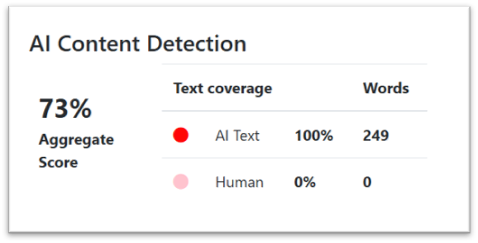
AI Detection (Right Side)
- Displays the estimated percentage of text that is:
- AI-generated
- Human-written
Important Notes
- Results are estimates, not definitive.
- Always consider:
- Your knowledge of the student
- Their past work
- The broader context
- Use all factors carefully before deciding on the appropriate course of action.